A walkthrough of building, backtesting, and preparing to automate a strategy with Easy AI Trader.
“Buy low, sell high.” It sounds simple. But how do you turn that idea into rules a computer can follow — and find out whether those rules are worth pursuing?
I’m the founder of Easy AI Trader. I built the platform to bring strategy creation, historical testing, and trading automation into one place. In this walkthrough, I’ll start with a short description and show how it becomes a strategy I can review and test.
You don’t need to write the first draft yourself or connect a brokerage account to get started. You do need to review what the assistant proposes and decide whether it matches your intent.
1. Start with an idea
After signing in to Easy AI Trader, open Strategies and click Create a strategy.
This opens the strategy builder. If you see the Editor, switch to Assistant. Here is the idea I gave it:
“I want to buy low, hold it for a short period of time (1–2 weeks) and then sell high.”
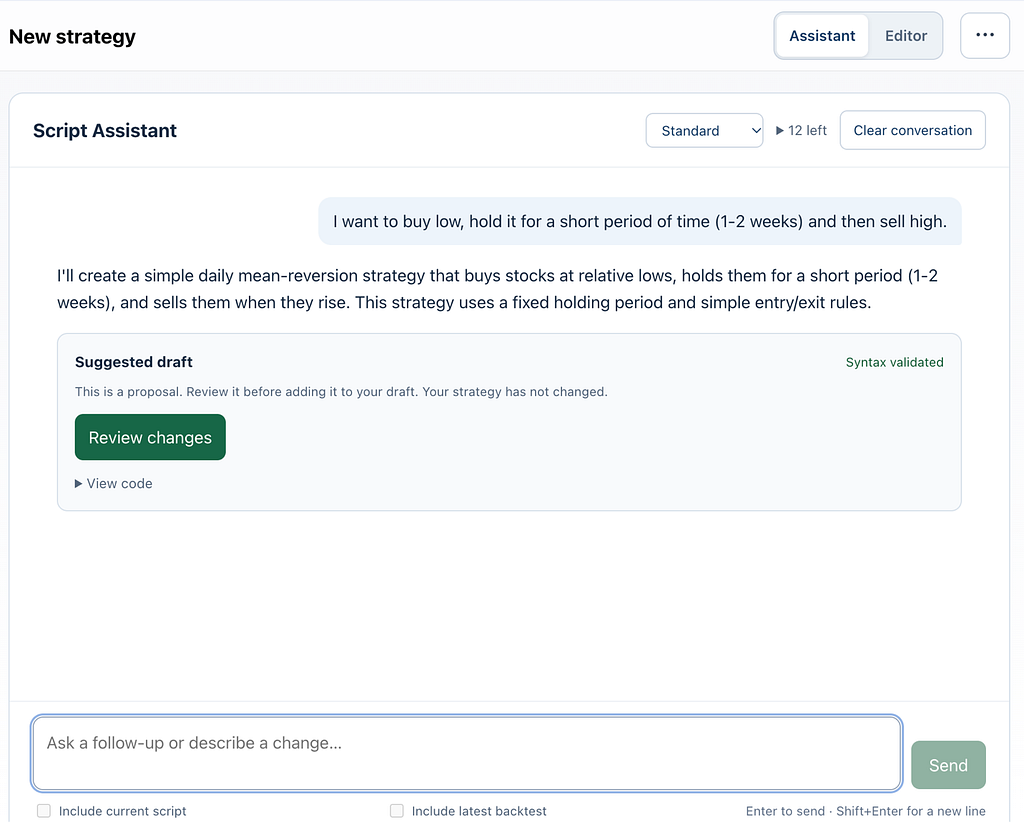
Describe the idea in your own words. The assistant proposes a draft for you to review.
That description leaves room for interpretation. What counts as “low”? Which stocks should the strategy consider? What should make it sell? The assistant supplies a concrete starting point, which I can question or revise.
For this example, it proposes looking at S&P 500 stocks, applying price and trading-volume filters, and selecting up to ten stocks priced low relative to their recent average. It reviews the selection daily.
The draft is one interpretation of the idea. It does not explicitly wait for a profit before selling, and the requested one-to-two-week holding period is not a guaranteed exit deadline. That is why I review the proposed rules before applying them. If I want different behavior, I can ask the assistant to revise the draft.
Click Review changes, review and apply the proposal, then save the strategy. The rules remain available to inspect and edit.
2. Test it on historical data
Next, run a backtest. This simulates how the strategy would have behaved using historical data. For this walkthrough, I use approximately one year; other date ranges let me explore different market conditions.
Once the test finishes, the results show the strategy’s performance alongside a benchmark, SPY in this example.
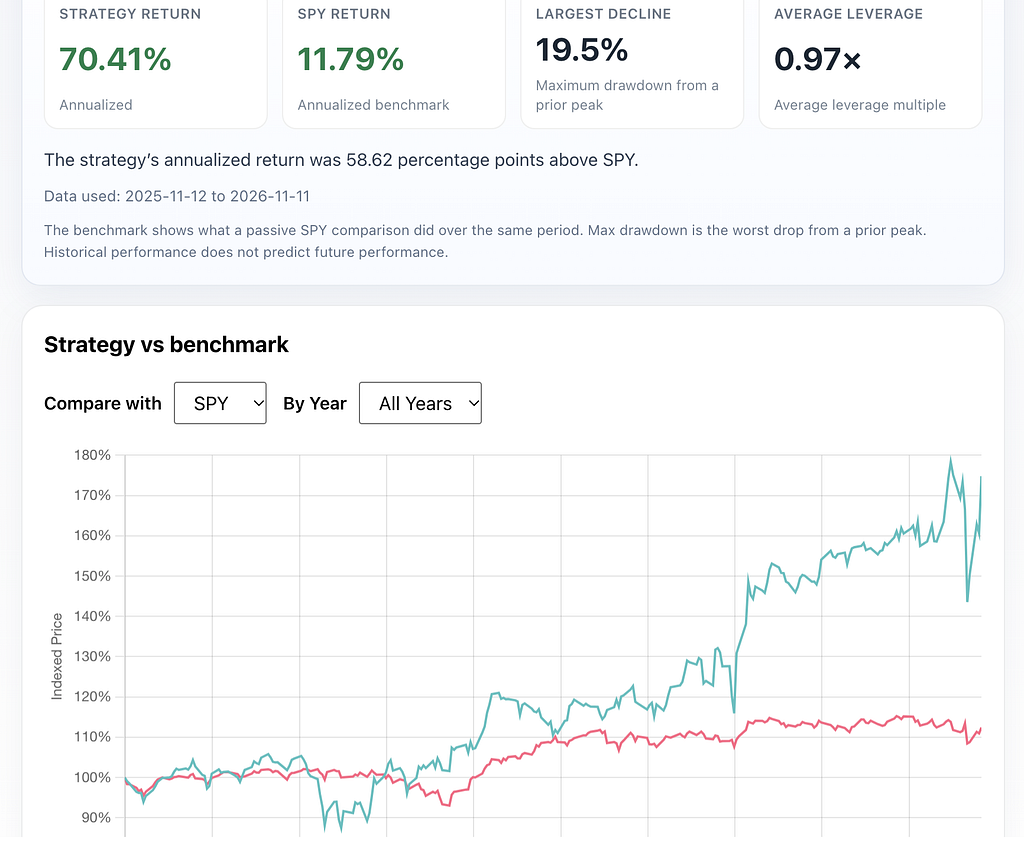
Example backtest compared with SPY. These are hypothetical historical results, not live account returns or a forecast.
The return is a starting point for investigation. I also want to know how uneven the experience was: when the strategy lost value, how deep those declines became, and how its path differed from simply holding the benchmark.
In this example, the reported annualized return is about 70%, but the largest decline from a previous peak is about 19.5%. Both deserve attention. A strong result over one selected period does not establish what will happen next.
3. Look beyond the headline number
Hover over the chart to explore a particular date and the trading activity shown for it. This helps connect the overall result to what the strategy was actually doing.
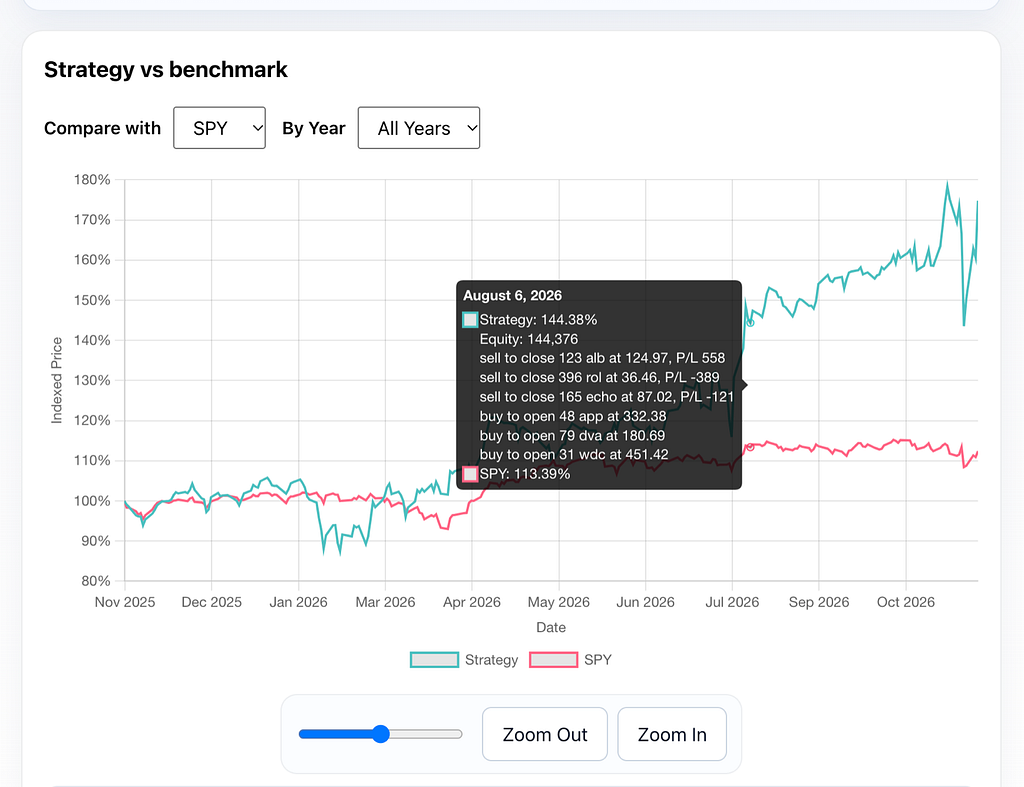
Explore individual dates to connect changes in the chart with trading activity.
The detailed results provide another view of the same test, including performance summaries and the individual trades. I use these to ask practical questions: Were gains spread across the period? Did a few stocks account for much of the return? How frequently did the strategy trade?
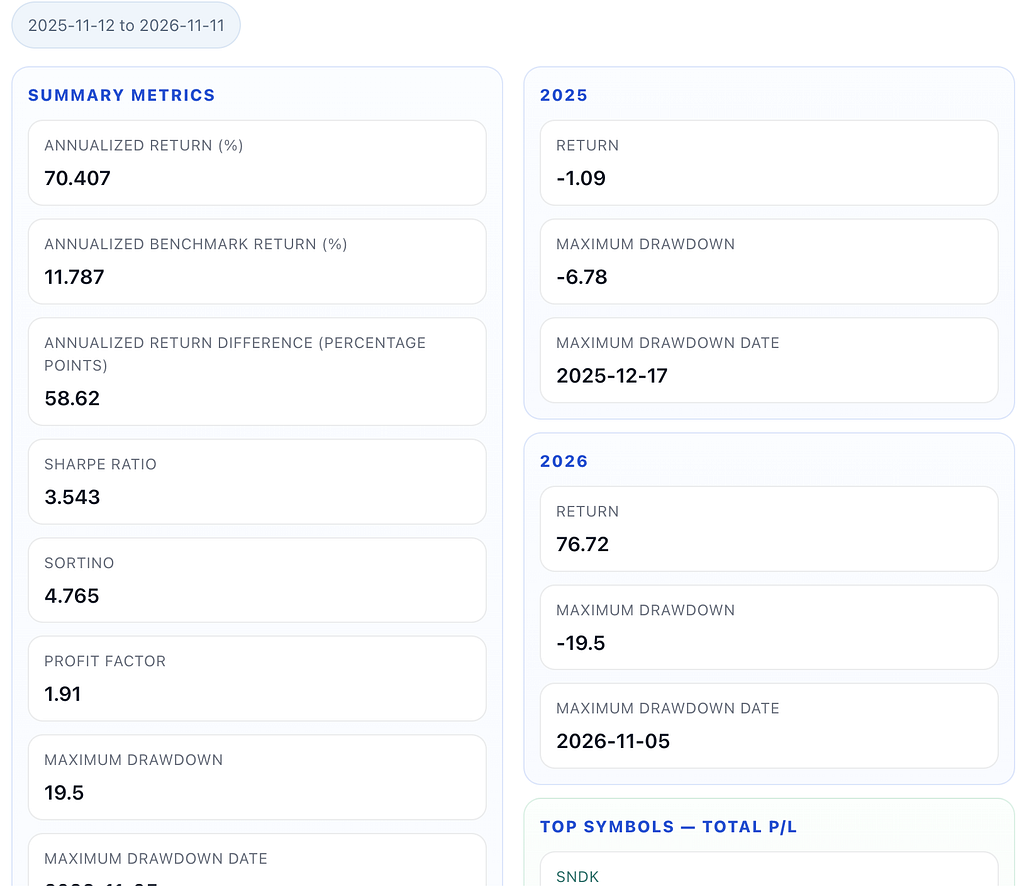
Review the detailed metrics alongside the chart.
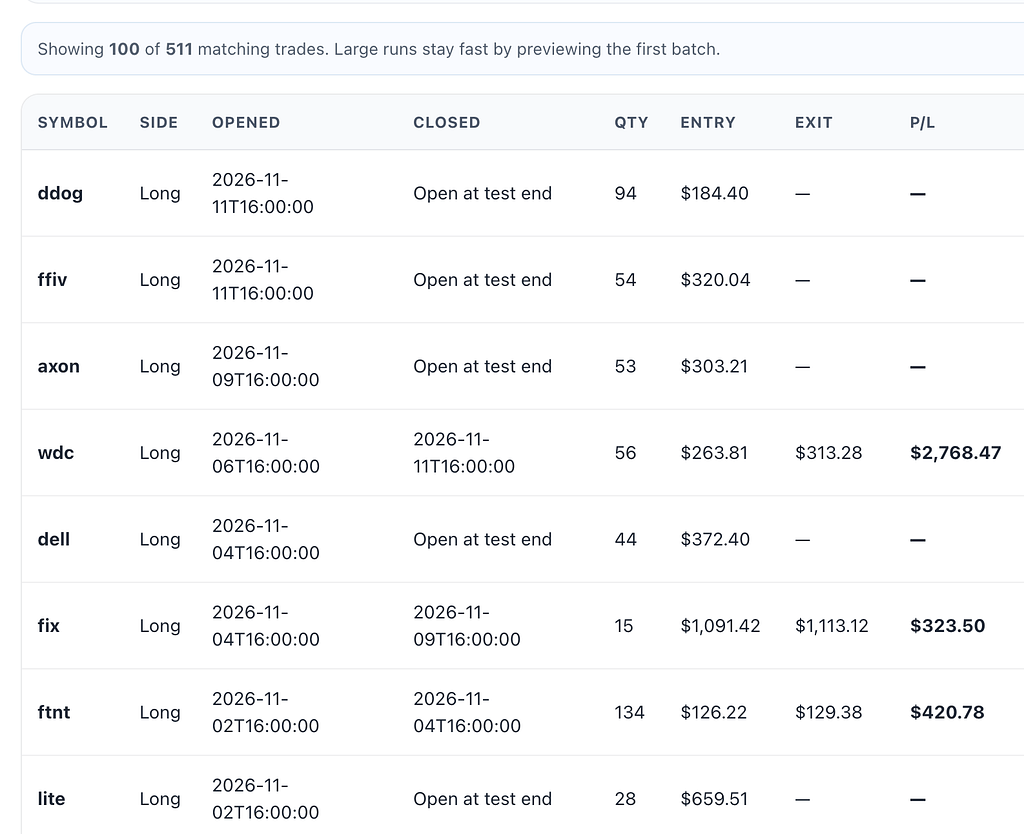
Inspect the trade history to see the transactions behind the result.
A useful backtest should help me understand the strategy, including the parts I might find difficult to live with. It should also give me specific questions to investigate in the next test.
4. Discuss the result with the assistant
I can bring the latest backtest into the conversation and ask for a plain-language explanation. For example:
“Review my latest backtest. Explain the main results, drawdowns, and risks in plain language. Ask before changing the script.”
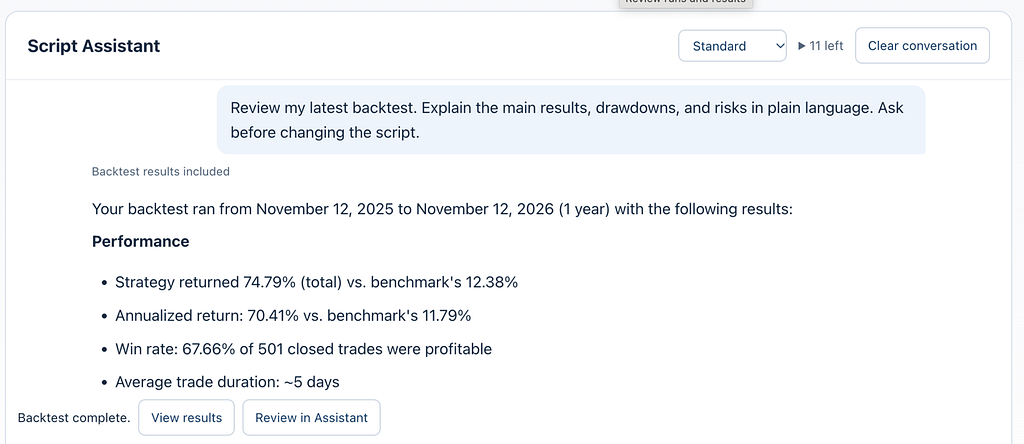
Ask the assistant to explain the test, with the backtest results included in the conversation.
In this example, the assistant discusses the returns, trading activity, and losses along the way. Its risk review also points out that the draft has no protective stop-loss rule. Those observations give me concrete things to review rather than simply accepting a good-looking chart.
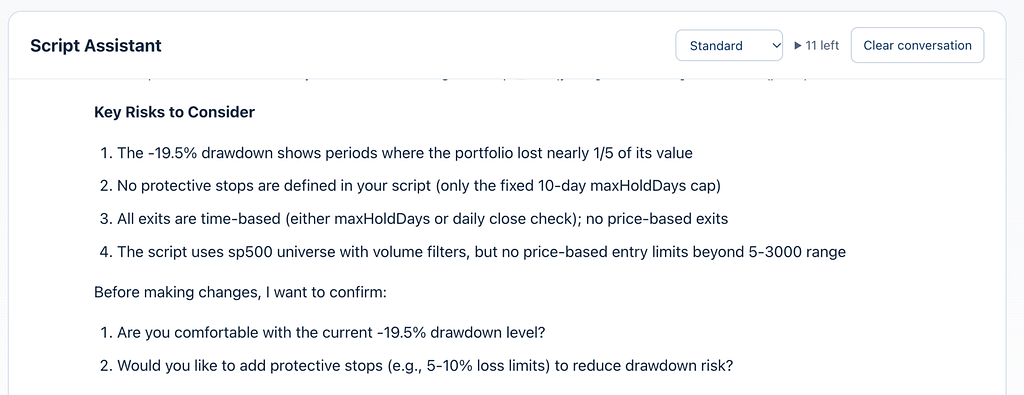
Use the discussion to identify questions and possible revisions. Check the explanation against the actual rules and results.
I might ask for a clearer exit rule, explore a different stock selection, or leave the draft unchanged and test it over another period. Each change creates a new version to evaluate; it does not automatically make the strategy better.
5. Test more broadly, then choose how to proceed
Before considering live trading, I would test additional periods, including weaker markets. If I refine the strategy using one period, I also want to evaluate it on a separate period that did not guide those changes.
When I’m ready to explore execution, I open the Trading view.
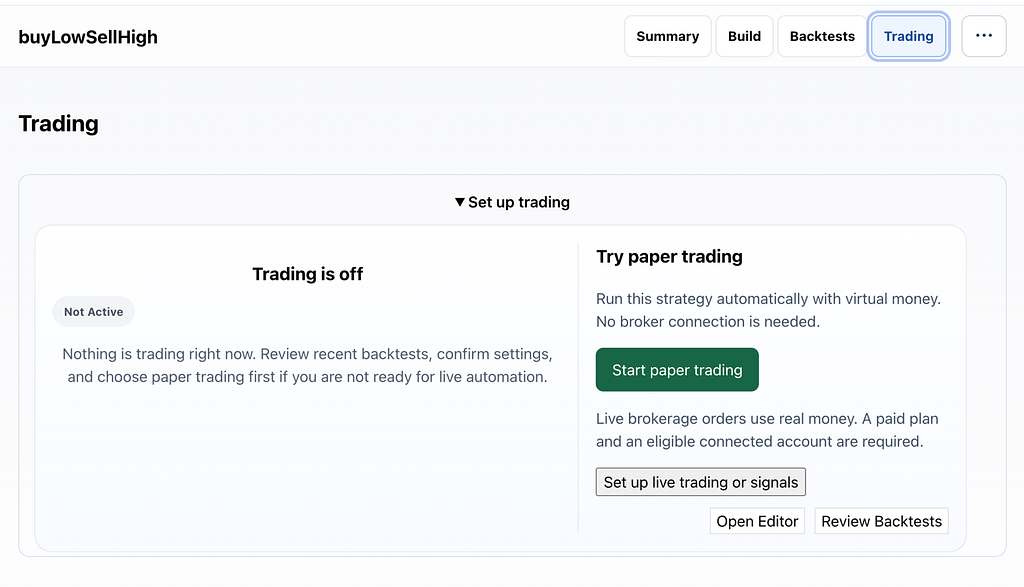
Choose paper trading with virtual money, or configure live trading when you are ready.
Paper trading lets a supported daily strategy run with virtual money, without connecting a broker. It is a useful way to observe how the rules behave as new market data arrives, although simulated results can differ from real execution.
Live trading requires a paid plan and a supported brokerage account. I choose when to connect the account and activate the strategy. Once active, the platform automates trades according to the configured rules; I still need to monitor the strategy, account, and execution.
The first draft is the beginning
Getting from a short idea to a first backtest can be a short session. Deciding whether to trade that strategy deserves more time.
What I want Easy AI Trader to make easier is the cycle of describing an idea, reviewing the rules, testing the result, and asking better questions. The assistant helps with the work, while I decide what to accept and when to move forward.
If you have a trading idea you’ve wanted to explore, you can start building and backtesting for free at https://www.easyaitrader.com/. No brokerage connection is required to begin.
The strategy and screenshots in this article illustrate the workflow. Backtest results are hypothetical, historical performance does not predict future results, and live trading can lose money. This article is a product walkthrough, not a recommendation to trade this strategy.